




Buying a Used MacBook Pro in 2026: What I Tell Customers at My Hollywood Store
I've been selling Macs out of Hollywood since 2010, and the question I get most at the counter is some version of "Is a used MacBook Pro a smart buy, and which one?" Here's what I tell people in the store, straight.
Short answer
Yes, if it's an Apple silicon model with at least 16GB of memory and you buy it from someone who stands behind it. For most people I point to a 14-inch or 16-inch M1 Pro. If you edit video or work with big files, go M1 Max or M3 Pro.
Used or refurbished: what's the difference here?
Online, "used" can mean anything from a laptop someone found in a closet to a machine that was checked part by part. In my store there is no second tier. Every MacBook Pro we sell, whether the listing says used, refurbished or open box, goes through the same 50-point inspection and gets the same 1-year warranty and 30-day returns. The condition grade on the listing just tells you how it looks on the outside.

The three things I tell every buyer
1. Get 16GB of memory, minimum
On Apple silicon the memory is part of the chip. You can't add more later. 8GB feels fine on day one and tight a year later once you have Chrome, Zoom and a few apps open. 16GB is the floor I recommend.
2. Skip Intel
Intel MacBook Pros are cheap for a reason. They run hot, the battery life is a fraction of the M-series, and Apple is moving on from them. Every model I'd recommend below is Apple silicon.
3. Check the battery and Activation Lock
On any used Mac, open System Information and look at the battery cycle count and condition, and make sure the seller has signed out of iCloud so Activation Lock is off. If a private seller won't let you check either one, walk away. Our 10-point used Mac checklist walks through every step.
Which used MacBook Pro I'd pick
- Students and everyday work: a 14-inch M1 Pro with 16GB. Great screen, HDMI and SD card slot built in, and plenty of speed for years.
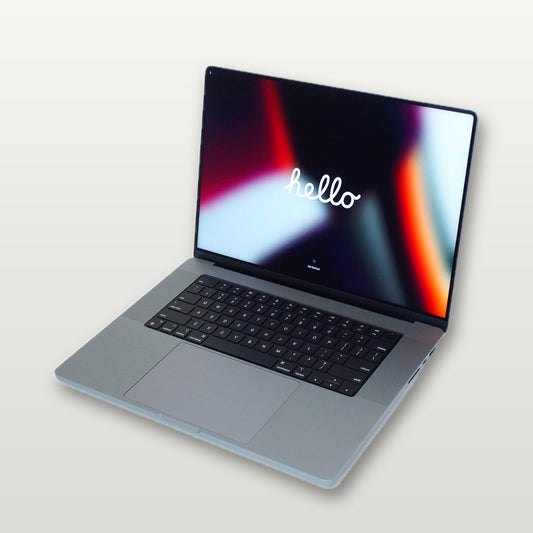
- You want the big screen: the 16-inch M1 Pro. Same chip, bigger display, and the best battery life of the bunch.
- Video, music and photo work: a 16-inch M1 Max with 32GB. It handles 4K timelines without breaking a sweat.
- You want something newer: an M3 Pro, 14-inch or 16-inch, in Space Black.

What's on my shelf right now
These are in our Hollywood store today. Stock moves fast, so the links show what's still here.
- 14-inch M1 Pro, 16GB, 512GB, Space Gray: $899
- 16-inch M1 Pro, 16GB, 512GB, Space Gray: $999
- 16-inch M1 Max, 32GB, 1TB, Space Gray: $1,399
- 14-inch M1 Max, 32GB, 1TB, Space Gray: $1,499
- 16-inch M3 Pro, 18GB, 512GB, Space Black: $1,599
- 14-inch M3 Pro, 18GB, 1TB, Space Black: $1,699
If I had to pick one for most people, it's the 16-inch M1 Pro at $999. You get the big screen and great battery for the price of a lot of new entry-level laptops.
Come try one before you buy
Stop by the store, open the lid, check the battery yourself, and walk out with it the same day. Or we ship it free.
Quick questions I get
Is a used MacBook Pro worth it in 2026?
An M1 Pro or newer with 16GB of memory, yes. It does everything most people need, for a lot less than new.
What warranty do I get?
A 1-year warranty and 30-day returns on every MacBook Pro we sell, used or refurbished.
Can I pick it up today in LA?
Yes. Everything listed as in stock is at our Hollywood store, ready for same-day pickup.
Keep reading
- MacBook Pro Price Guide 2026: every model and price
- 16-inch MacBook Pro Max buyer's guide
- Open box vs certified refurbished MacBook Pro
Visit the store: 1947 N. Cahuenga Blvd., Ste 104, Hollywood · (323) 378-5603 · Mon–Fri 9–5, Sat 10–2
