




Refurbished vs New Mac: The Real Cost Comparison (2026 Data)
By Ramzan "Ray" Harji, Certified Apple Refurbisher · MacPro-LA, Hollywood · 15 years & 100,000+ Macs sold · Updated June 2026
Quick answer
From MacPro-LA — LA's highest-rated Apple reseller. 15 years in Hollywood, 3,500+ reviews, Certified Apple Refurbisher. Honest, real-world guidance from a team that inspects every device in person. Read on for what we've learned and how to apply it.
By Ray Harji | Apple Refurbishment Specialist, 15 Years Experience | June 2, 2026
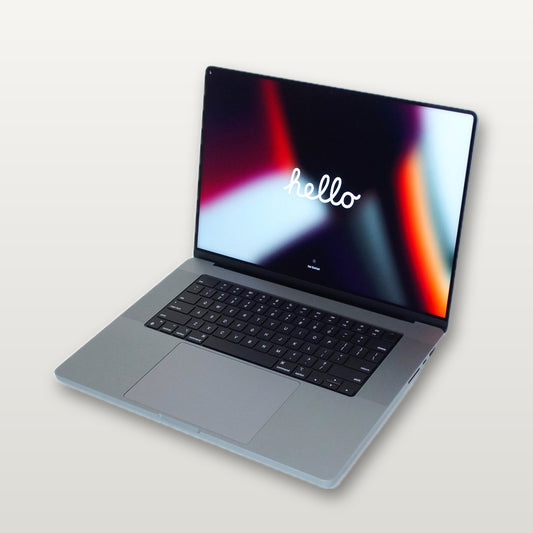
A refurbished Mac saves you $200-$1,200 compared to buying new, with the same performance and a full warranty. For example, a refurbished MacBook Pro 16-inch M3 Max costs $2,299 at MacPro-LA vs $3,499 new from Apple — that's $1,200 in your pocket for the exact same machine. After 15 years of inspecting, repairing, and refurbishing thousands of Macs out of our Hollywood shop, I can tell you that the difference between a properly refurbished Mac and a brand-new one is almost always cosmetic at most — and often, there is no visible difference at all.
This guide breaks down the real numbers and helps you decide whether buying refurbished is the right call.
How Much Do You Actually Save on a Refurbished Mac?
The savings depend on the model, configuration, and where you buy. Below is a comparison of eight popular Mac models showing what you would pay new from Apple versus refurbished pricing at MacPro-LA in mid-2026.
| Model | New (Apple) | Refurbished (MacPro-LA) | You Save | % Saved |
|---|---|---|---|---|
| MacBook Air M3 (15", 16GB/512GB) | $1,499 | $1,149 | $350 | 23% |
| MacBook Air M4 (13", 24GB/256GB) | $1,199 | $999 | $200 | 17% |
| MacBook Pro 14" M4 Pro (24GB/512GB) | $1,999 | $1,549 | $450 | 23% |
| MacBook Pro 14" M3 Pro (18GB/512GB) | $1,799 | $1,349 | $450 | 25% |
| MacBook Pro 16" M3 Max (36GB/1TB) | $3,499 | $2,299 | $1,200 | 34% |
| Mac Mini M4 Pro (24GB/512GB) | $1,399 | $1,099 | $300 | 21% |
| Mac Studio M4 Max (64GB/1TB) | $3,199 | $2,499 | $700 | 22% |
| iMac M4 (24", 24GB/512GB) | $1,699 | $1,349 | $350 | 21% |
The pattern is clear: higher-end configurations deliver the biggest dollar savings. A maxed-out 16-inch MacBook Pro can save you over $1,000, while even an entry-level MacBook Air saves you $200-$350. For creative professionals in LA who need top specs for video editing or music production, refurbished is where the math really starts to work in your favor.
Over a typical four-year ownership cycle, that $1,200 saved on a MacBook Pro 16-inch is equivalent to $25 per month — money that could go toward software subscriptions, peripherals, or simply staying in budget.
What's the Difference Between Refurbished and New?
This is the question I get asked most. People assume "refurbished" means "broken and glued back together." The reality is far less dramatic.
How a Mac Becomes "Refurbished"
Most refurbished Macs fall into one of these categories:
- Open-box returns — A customer bought it, opened it, changed their mind, and sent it back within 14 days. The machine was used for hours, not years.
- Overstock and display units — Retail inventory that did not sell or was used as a floor model.
- Lease returns — Corporate machines returned at the end of a 2-3 year lease, often well-maintained by IT departments.
- Repaired units — Machines that had a component replaced under warranty and were restored to full working condition.
The Inspection and Refurbishment Process
At MacPro-LA, every machine goes through a 50-point inspection before it reaches the shelf. The highlights: exterior cosmetic grading, display testing for dead pixels and backlight uniformity, battery health verification (we only sell machines above 80% capacity), every port tested with real peripherals, SSD SMART data analysis, and a 20-minute CPU and GPU stress test to check thermal stability. Every machine gets a fresh macOS install, and a second technician signs off on the final QA before it ships.
The result is a machine that performs identically to new. The only potential difference is cosmetic — and on most of our inventory, you would need a magnifying glass to find a mark.
Cosmetic Grading Explained
Reputable refurbishers use a grading system so you know exactly what to expect. At MacPro-LA, every Mac is graded on the same five-tier scale — and every grade, from sealed-in-the-box new to honest cosmetic wear, ships with the same 50-point inspection and the same 1-year warranty:
- N / New — Factory sealed. Battery 100% of original. Includes original Apple OEM accessories.
- P / Premium (Open Box) — The box was opened but the Mac was barely used. No cosmetic damage. Battery above 95% of original. Original Apple OEM accessories.
- A / Excellent (Grade A) — Indistinguishable from new in everyday use, with at most minor marks visible only under direct light. Battery 90–95% of original.
- B / Good (Grade B) — Light surface scratches, smooth to the touch. Fully functional. Battery above 80% of original.
- C / Acceptable (Grade C) — Visible scratches and possibly dented corners, priced accordingly. Battery above 80% of original.
We grade conservatively on purpose — a Grade A from us is genuinely indistinguishable from new to most people. Whatever grade you choose, the machine has passed the same 50-point inspection and carries the same warranty.
Where to Buy a Refurbished Mac Safely
Not all refurbished sellers are equal. Here are the most reputable options and what each one offers.
Apple Certified Refurbished Store
Apple sells refurbished models directly at apple.com/shop/refurbished. You get a 1-year warranty, new outer shell, and new battery. The downside: limited inventory, modest discounts (typically 15%), and no physical store to visit for hands-on testing.
MacPro-LA (macpro-la.com)
Full disclosure — this is us. What sets our Hollywood location apart:
- 1-year warranty on every refurbished Mac
- 30-day no-questions-asked returns
- Brick-and-mortar store in Hollywood, CA — you can see and test the machine before buying
- On-site Mac repair if you ever need service down the road
- Deeper discounts than Apple Refurbished, especially on previous-generation Pro models
- Wide selection including Mac Studio, Mac Mini, iMac, and the full MacBook Pro and MacBook Air lineups
Back Market
A large online marketplace for refurbished electronics. Pricing is competitive with buyer protection included. However, quality varies by seller since Back Market is a marketplace, not a single refurbisher.
OWC (Other World Computing)
A respected name in Mac upgrades and accessories. OWC sells refurbished Macs with solid warranties — a good option if you are outside Southern California and want a trusted online seller.
My recommendation: If you are in the Los Angeles area, buy from a local specialist you can visit in person. If you are buying online, look for sellers with at least a 1-year warranty, a clear return policy, and transparent cosmetic grading.
What to Check Before Buying a Refurbished Mac
Whether you are buying from us or anyone else, here are the five things you should verify before committing to a purchase.
1. Battery Cycle Count and Health
On any MacBook, go to Apple Menu > System Settings > Battery > Battery Health. A healthy battery should show "Normal" condition and a maximum capacity above 80%. Ask the seller for the cycle count — under 200 cycles on an Apple Silicon Mac is excellent, 200-500 is normal, and over 500 means you may need a replacement within a year or two.
2. Cosmetic Grade
Make sure the seller uses a clear grading system and provides actual photos of the specific unit you will receive — not stock images. If buying in person, inspect under good lighting, paying attention to the screen, trackpad area, and bottom case where wear shows first.
3. Warranty Terms
A 90-day warranty is the bare minimum you should accept. Look for 1-year coverage. Read what is actually covered — does the warranty include battery replacement? What about accidental damage? Know before you buy. At MacPro-LA, our 1-year warranty covers all hardware defects.
4. Return Policy
You want at least 14 days, ideally 30 days. Some sellers charge restocking fees — ask upfront. A no-questions-asked return policy means you can test the machine in your actual workflow and send it back if it does not meet your expectations.
5. Original Specs vs. Upgrades
Confirm the exact configuration: chip model, RAM, storage size, and GPU cores. On modern Apple Silicon Macs, RAM and storage are soldered to the logic board and cannot be upgraded after purchase — so what you buy is what you get. Make sure the specs match what you need for the next 3-5 years.
Are Refurbished Macs Reliable?
Yes. And the engineering behind Apple Silicon explains why.
Apple Silicon Macs (M1 through M4 and beyond) are among the most reliable computers ever built. Here is what makes them so durable:
- No moving parts — There are no spinning hard drives, no optical drives, and on most models, no fan (or a fan that rarely spins). Fewer moving parts means fewer failure points.
- Unified memory architecture — RAM is built into the chip package. No DIMM slots to fail or corrode.
- SSD longevity — Apple's NAND flash storage is rated for heavy daily use over 10+ years. The TBW (terabytes written) ratings far exceed what most users will ever approach.
- Logic board reliability — With Apple designing both the chip and the board, component integration is tight. Logic board failures on Apple Silicon are rare compared to the Intel era.
- Thermal efficiency — Apple Silicon runs cool, reducing thermal stress on components over time. A cooler machine is a longer-lasting machine.
The most common issues I see on refurbished Macs coming through our repair shop are cosmetic damage and battery wear — both of which are addressed during the refurbishment process. Actual hardware failures on Apple Silicon machines are uncommon.
A refurbished MacBook Pro that has been properly tested and inspected will, in my experience, last just as long as a new one. The silicon does not know whether it was unboxed by the first owner or the second.
Frequently Asked Questions
Is a refurbished Mac as good as new?
In terms of performance, yes — a refurbished Mac runs the same software at the same speed as a new one. The internal components are identical. The only potential difference is cosmetic wear on the exterior, and on higher-grade refurbished units (Grade A and above), even that is negligible. All refurbished Macs at MacPro-LA go through a 50-point inspection and come with a 1-year warranty.
How long do refurbished Macs last?
A refurbished Apple Silicon Mac (M1 or later) should last 7-10 years with normal use. Apple typically supports Macs with macOS updates for 6-8 years after the model's release. Battery lifespan depends on usage patterns, but most users get 4-6 years before needing a replacement. The machine itself will outlast the battery by a wide margin.
Do refurbished Macs come with a warranty?
It depends entirely on the seller. Apple's own refurbished store includes a standard 1-year warranty. Professional third-party refurbishers like MacPro-LA also include a 1-year warranty with every purchase. Marketplace sellers on eBay or Facebook typically offer no warranty or only a 30-day window. Always confirm warranty terms before purchasing.
Should I buy a refurbished MacBook Pro or MacBook Air?
That depends on your workload, not on whether the machine is refurbished. If you do video editing, 3D rendering, music production, or software development, a MacBook Pro — especially the 14-inch or 16-inch with an M3 Pro or M4 Pro chip — gives you the sustained performance and thermal headroom you need. If you browse the web, write documents, handle email, and do light photo editing, a MacBook Air is the better value. Both are excellent machines whether new or refurbished.
Can you upgrade a refurbished Mac after purchase?
On Apple Silicon Macs (M1 and later), RAM and internal storage cannot be upgraded — they are soldered to the logic board. This is true whether the Mac is new or refurbished. You can always add external storage via Thunderbolt or USB-C. For desktop models like the Mac Mini or Mac Studio, you can connect external drives, displays, and peripherals to expand capability. The takeaway: buy the configuration you need upfront, because you cannot add RAM or storage later.
The Bottom Line
Buying a refurbished Mac in 2026 is one of the smartest tech purchases you can make. You get the same Apple Silicon performance, the same build quality, and the same software experience — for hundreds to over a thousand dollars less. The key is buying from a seller who inspects thoroughly, offers a real warranty, and stands behind what they sell.
If you are in the Los Angeles area, come visit us at MacPro-LA in Hollywood. See the machine in person, ask questions, and walk out with a Mac that performs like new at a price that actually makes sense.
About the Author: Ray Harji has been refurbishing and repairing Apple products for over 15 years. As a specialist at MacPro-LA in Hollywood, California, he has personally inspected thousands of Macs and helped customers across Los Angeles find the right machine at the right price. When he is not diagnosing logic boards or running stress tests, he is probably arguing about which M-series chip has the best price-to-performance ratio. Browse the full inventory at macpro-la.com or stop by the shop for a hands-on look.
