




The Best Mac for Podcasters in 2026 — Honest Buyer's Guide
The Best Mac for Podcasters in 2026
By Ramzan "Ray" Harji, Certified Apple Refurbisher · MacPro-LA, Hollywood · 15 years & 100,000+ Macs sold · Updated June 2026
Quick answer
The best refurbished Mac for Podcasters depends on your workflow, but our top pick for most is the MacBook Pro 14" M3 — balances performance, portability, and price. For lighter use, the MacBook Air M2/M3 wins. Buying refurbished saves 25-50% vs Apple retail, includes a 1-year warranty, and gets you the same M-series performance as new. See our ranked picks, RAM/storage guidance, and FAQ below.
Most Mac buying guides for podcasters are written by people who don't actually work with podcasters. We do — every week, in our Hollywood showroom. Here's the honest version, based on what podcasters in Los Angeles actually buy and what we see them come back to upgrade or replace.
Podcasting has a unique requirement most computer reviewers ignore: silent operation. A laptop fan that kicks on during a quiet conversation will end up in your final mix. We've helped LA podcasters from solo true-crime shows to multi-host weekly studios pick the right machine.
What podcasters actually need from a Mac
Low-noise (silent or near-silent under load — fans kill recordings), enough cores for real-time multi-track recording, thunderbolt for audio interfaces, good built-in mic if you do mobile recording.
Common software in this workflow includes: Logic Pro, GarageBand, Adobe Audition, Hindenburg, Riverside, Descript, SquadCast. Every recommendation below is tested by us against this software stack.
Our top 3 picks for podcasters
Mac mini M2 Pro — starting at $799
the podcaster's secret weapon — silent (no fan needed), pairs with any external monitor, perfect for a home studio that needs zero noise
MacBook Pro 14" M3 Pro — starting at $1,099
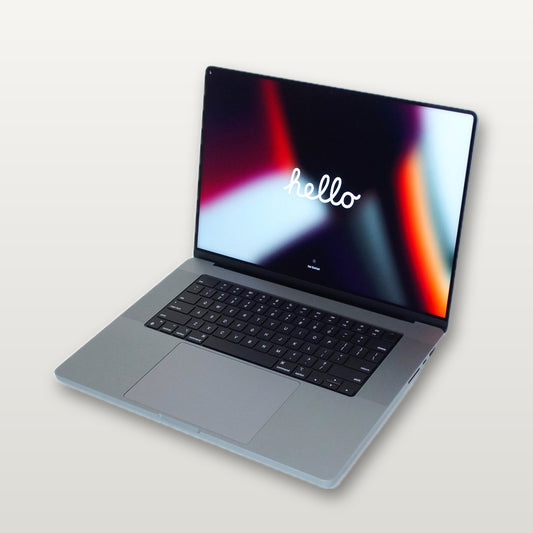
if you record on the road or at conferences, this is silent under typical podcast load and has the I/O to pair with a Universal Audio Apollo or RØDECaster
Mac Studio M2 Max — starting at $1,499
for serious podcasters running 8+ track sessions in Logic with effects — this never thinks twice
What we tell podcasters who walk into our shop
The two biggest mistakes we see podcasters make:
- Overspending on specs they'll never use. Apple's marketing pushes the Max chip and 64GB of RAM at everyone. Most podcasters workflows top out well below that — and the money is better spent on a better external display or AppleCare.
- Underspending on RAM and storage. 8GB is fine for casual users; for podcasters doing real work, 16GB minimum, 32GB if your sessions or files get big. Storage is the same — 256GB feels small fast.
If you're not sure which side of that you fall on, take our 4-question quiz or stop by the showroom and we'll talk it through.
Frequently Asked Questions
Will the M3 base MacBook Air work?
For solo podcasts with one mic and light editing — yes. But the Air uses the same fan as the base Pro and can struggle with multi-track real-time monitoring.
Do I need 32GB of RAM?
If you're running Logic with 6+ tracks, real-time processing plugins, AND video calls simultaneously — yes. Otherwise 16GB is fine.
Mac Studio or Mac mini?
Mac mini if your sessions stay under 4 tracks with light effects. Mac Studio if you do 8+ tracks, mastering, or anything beyond conversational podcasting.
Why LA podcasters choose MacPro-LA
- 15 years in Hollywood — we've watched the M-series transition firsthand and know which generations actually deliver for podcasters
- Honest battery health disclosure on every device — no hidden cycle counts
- 1-year warranty — same as Apple's refurbished program, longer than most competitors
- 3,500+ reviews across every major platform
- Real human support — we'll help you pick, set up, and call us back if anything's off
Related Mac buyer's guides
- Find Your Mac: Complete Refurbished Buyer's Guide
- Best Refurbished MacBook Pro Deals 2026
- MacBook Pro M4 vs M3 — Worth Upgrading?
- Is a Refurbished Mac Actually Worth It?
Related professional Mac guides
If you wear multiple hats — or know someone in another profession — here are some related guides:
Where Podcasters buy Macs in LA
Many podcasters who shop with us live in or work near these neighborhoods:
See our full LA service area →
Ready to upgrade?
Visit the showroom:
1947 N. Cahuenga Blvd., Ste 104, Hollywood
(323) 378-5603 · Mon-Fri 9-5, Sat 10-2
