




Best Mac for Music Production in 2026 — Producer's Buying Guide
Best Mac for Music Production in 2026 — Producer's Buying Guide
Macs have been the backbone of professional music production for decades. From bedroom producers to Grammy-winning studios, Logic Pro, Ableton Live, and Pro Tools run on Mac hardware everywhere.
But which Mac do you actually need? A $349 Mac Mini or a $1,899 Mac Studio? The answer depends on your track counts, plugin usage, and whether you record live instruments. Here's our guide based on real-world experience helping producers build their setups.
What Specs Matter for Music Production
RAM — The #1 Priority
Minimum: 16GB. Recommended: 24-36GB. Ideal: 48GB+
Every virtual instrument and plugin you load takes RAM. A single instance of Kontakt with an orchestral library can use 2-4GB. A large Omnisphere patch uses 500MB-1GB. Stack 20-30 of these across a session, add reverbs, delays, compressors, and EQs, and RAM fills up fast.
8GB will limit you to simple projects with maybe 10-15 tracks. 16GB handles most production work comfortably. 24-36GB gives you freedom to load massive sessions without bouncing tracks. 48GB+ is for film composers and producers working with huge orchestral templates.
CPU — Core Count and Speed
Music production is one of the few workloads where core count directly matters. Each track with plugins uses CPU. More cores = more tracks before you hit the ceiling.
The M1 chip (8 cores) handles 30-50 tracks with plugins. The M3/M4 Pro (12-14 cores) handles 60-100+ tracks. The M3/M4 Max (16 cores) handles massive sessions that would choke lesser machines.
Storage — Fast and Spacious
Minimum: 512GB. Recommended: 1TB+
Sample libraries are huge. Native Instruments Komplete is 600GB+. Spitfire Audio's orchestral libraries can exceed 500GB. EastWest's complete collection is over 1TB. You need fast internal storage (all Macs have NVMe SSDs) and external storage for library overflow.
Audio Interface Compatibility
All modern Macs work with all major audio interfaces via USB-C or Thunderbolt. Universal Audio, Focusrite, Apogee, RME, MOTU — they all work. If you have a Thunderbolt interface, make sure your Mac has Thunderbolt ports (all Apple Silicon Macs do).
Best Macs for Music Production — Every Budget
Budget: Under $400 — Mac Mini M1 ($349)
Best for: Beginners, beat makers using mostly software instruments, electronic music producers with moderate track counts
The Mac Mini M1 with 16GB RAM is a legitimate music production machine. It runs Logic Pro, Ableton, GarageBand, and FL Studio without issues for projects with 20-40 tracks and moderate plugin usage. For the price, nothing else comes close.
Setup tip: Pair with a Focusrite Scarlett 2i2 ($170) and a pair of Audio-Technica ATH-M50x headphones ($150). Complete starter studio for under $700.
Budget: $400-$700 — Mac Mini M2 or MacBook Pro M1/M2 ($399-$649)
Best for: Serious hobbyists, gigging musicians who need portability, home studio producers
The Mac Mini M2 ($399) with 16GB RAM gives you about 20% more CPU headroom than the M1, which translates to a few more plugin-heavy tracks before you need to bounce. The MacBook Pro M1/M2 ($549-$649) adds portability for gigging musicians who produce on the go or take their setup to sessions.
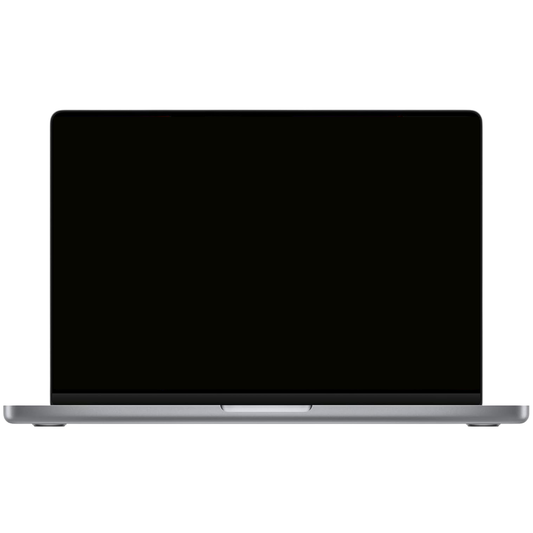
Budget: $700-$1,100 — MacBook Pro 14" M2 Pro or M3 Pro ($849-$1,099)
THE SWEET SPOT FOR MOST PRODUCERS
Best for: Professional producers, mixing engineers, recording studio machines, composers with moderate orchestral templates
This is where music production gets comfortable. The Pro chip's 12-14 CPU cores handle 60-100+ tracks with heavy plugin loads. 18-24GB of RAM lets you load large sessions without worrying about memory. The laptop form factor means you can produce anywhere — in the studio, on tour, at a session.
Most professional producers we sell to land here. It handles everything from trap beats with 30 tracks to rock mixes with 60+ tracks to moderate orchestral scoring. You won't feel limited.
Budget: $1,000-$1,600 — Mac Studio M1/M2 Max ($999-$1,299)
Best for: Professional studios, film/TV composers, producers running massive orchestral templates, mixing and mastering engineers
The Mac Studio is the studio workhorse. The Max chip's 16 CPU cores and 32-64GB RAM handle the most demanding sessions — 100+ tracks, orchestral templates with hundreds of Kontakt instances, sessions with dozens of UAD or Waves plugins on every track.
For a dedicated studio computer that doesn't need to leave the room, the Mac Studio is ideal. It has more ports than the Mac Mini, better sustained performance (bigger cooling), and supports up to 5 displays for large mixing console setups.
Budget: $1,500+ — MacBook Pro 16" M3/M4 Max ($1,599-$1,899)
Best for: Touring producers who need maximum power on the road, film composers who work across multiple studios, professionals who want one machine for everything
The 16" MacBook Pro with a Max chip is a desktop replacement. 36-48GB RAM, 16 CPU cores, the 16-inch screen for comfortable timeline editing. And the 6-speaker system is genuinely impressive — good enough for rough monitoring in a pinch.
Quick Comparison Table
| Machine | Price | Track Count | Sample Libraries | Portable |
|---|---|---|---|---|
| Mac Mini M1 (16GB) | $349 | 20-40 | Small-Medium | No |
| Mac Mini M2 (16GB) | $399 | 30-50 | Small-Medium | No |
| MacBook Pro 13" M2 (16GB) | $649 | 30-50 | Medium | Yes |
| MacBook Pro 14" M3 Pro (18GB) | $1,099 | 60-100+ | Large | Yes |
| Mac Studio M2 Max (32GB) | $1,299 | 100-150+ | Very Large | No |
| MacBook Pro 16" M3 Max (36GB) | $1,899 | 100-150+ | Very Large | Yes |
DAW Compatibility on Apple Silicon
Logic Pro
Apple's own DAW runs better on Apple Silicon than any other platform. It's deeply optimized for the M-series chips and takes full advantage of the unified memory architecture. If you're buying a Mac specifically for music production, Logic Pro is the natural choice. Available on the App Store for $199 (one-time purchase).
Ableton Live
Fully native on Apple Silicon since version 11.1. Ableton 12 runs great on M1 and newer. All Max for Live devices work natively. AU plugins are well-supported.
Pro Tools
Avid Pro Tools runs natively on Apple Silicon. The latest versions are well-optimized, though some third-party AAX plugins may still need Rosetta 2 translation. Performance is excellent for the vast majority of sessions.
FL Studio
FL Studio for Mac runs natively on Apple Silicon. Performance has improved significantly over the past two years. A great choice for beat makers and electronic producers on Mac.
Plugin Compatibility
As of 2026, virtually all major plugin developers have released Apple Silicon native versions: Universal Audio, Waves, FabFilter, Soundtoys, Native Instruments, Spectrasonics, Arturia, iZotope, and more. The Rosetta 2 translation layer also runs Intel-only plugins with minimal performance impact.
Tips for Optimizing Your Mac for Music Production
- Use an external SSD for sample libraries — Keep your boot drive lean by storing large sample libraries (Kontakt, Omnisphere, EastWest) on a fast external Thunderbolt or USB-C SSD.
- Set your audio buffer appropriately — Use low buffer sizes (64-128 samples) when recording for low latency. Use higher buffer sizes (512-1024) when mixing to free up CPU for plugins.
- Freeze/bounce tracks you're not actively editing — This frees up CPU and RAM for the tracks you're working on.
- Disable Bluetooth when recording — Bluetooth can occasionally introduce interference. Turn it off when tracking sensitive audio.
- Keep 20% of your SSD free — macOS needs free space for virtual memory and temporary files. A full drive will degrade performance.
Build Your Studio
Our recommendation for most producers: the MacBook Pro 14" M3 Pro at $1,099 or the Mac Mini M2 at $399 for a studio desktop setup. Both give you serious production capability without serious debt.
Browse MacBook Pro models | Browse Mac Mini models | Browse Mac Studio models
Need help building your studio setup? Call or text (323) 378-5603 — several of our team members are musicians and producers. We get it.